


See Your Driving Score—And Everything Behind It
OtoZen is a driving score app that brings your weekly Drive Score, speeding, phone use, top speed, trip history and safe-driving streaks into one clear view—so drivers and families can understand habits and progress over time.

How the OtoZen Driving Score Works
A simple feedback loop that turns everyday trips into useful driving insights.
Drive normally
OtoZen works quietly in the background while you focus on the road.
Get a trip report
After each drive, see the context behind your driving score — speeding, phone use and trip history.
Follow your score
Weekly Drive Scores and trends show whether habits are actually improving, not just how one trip went.
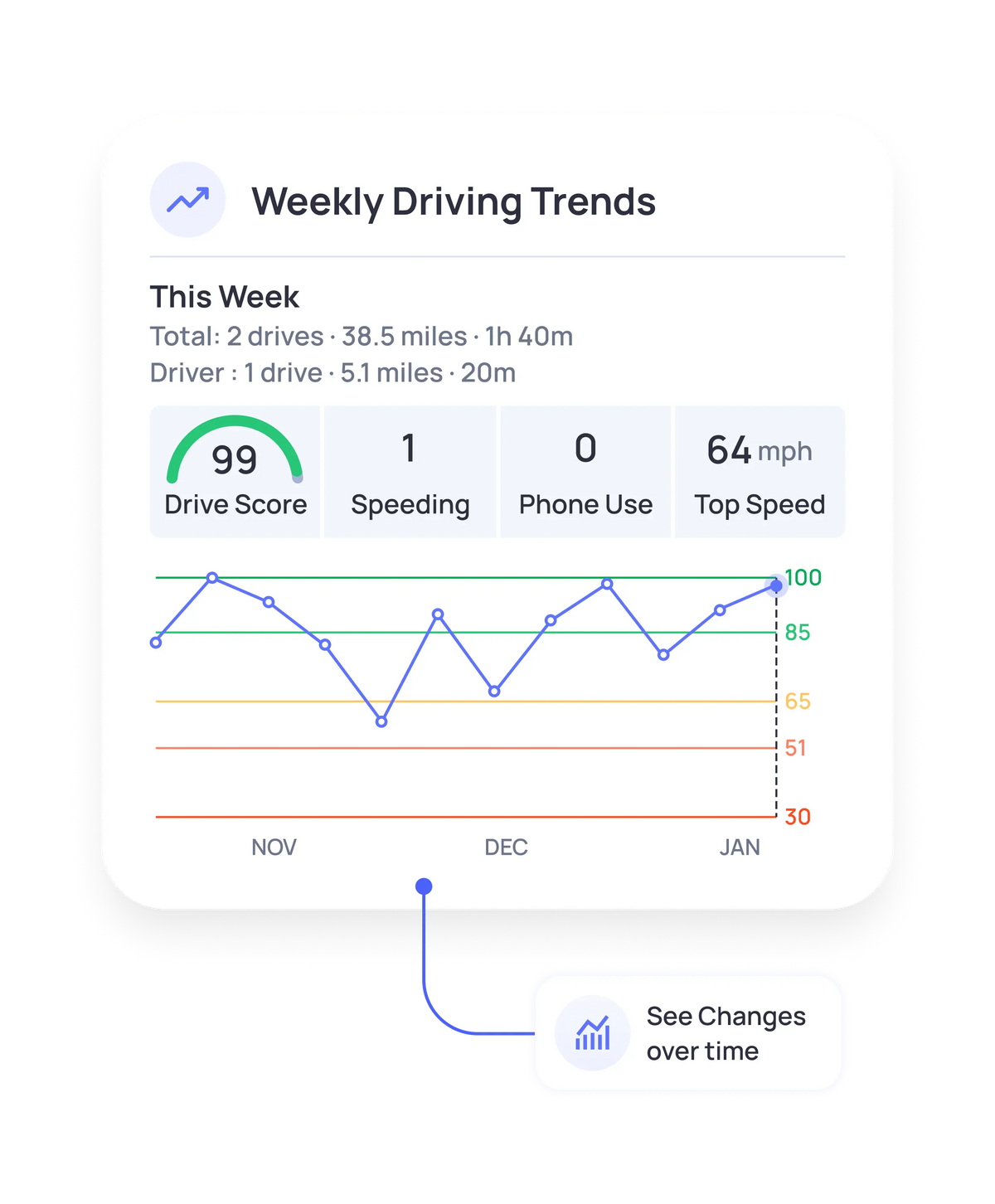
Weekly Drive Score Report
Your Driving Week, Explained at a Glance
Instead of looking through separate trips one by one, OtoZen brings the week together with a Drive Score, driving events and a trend graph.
See the score
Get a quick summary of how the week went.
See the context
Review speeding, phone use and top speed alongside the score.
See the direction
Use the trend line to understand whether habits are changing.
DRIVING INSIGHTS IN ONE PLACE
See More Than a Score
Review weekly Drive Scores, driving trends, streaks and trip stats in one place.
Drive Streaks & Challenges
Make Good Driving Habits Easier to See
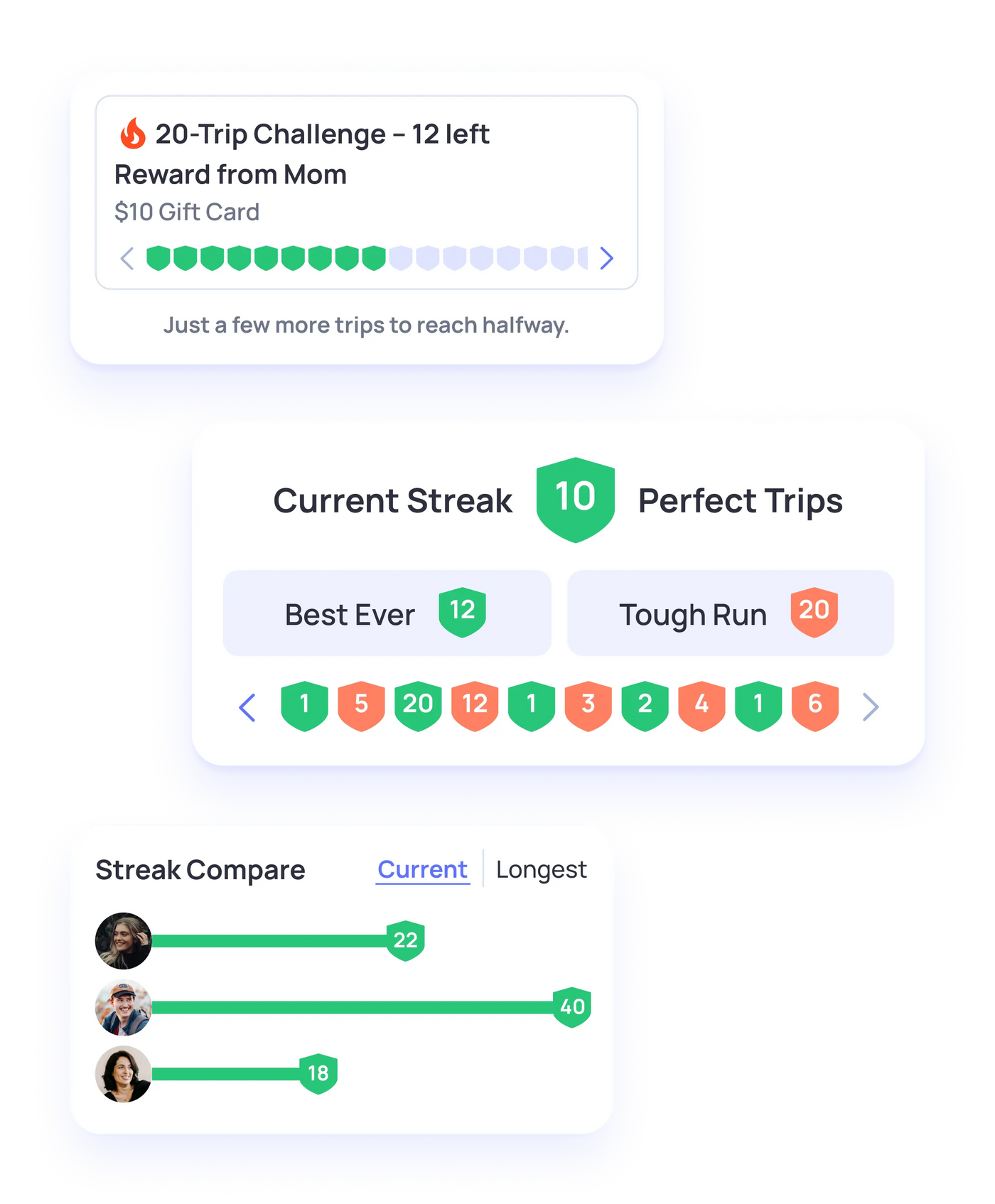
Drive Streaks give users a simple way to see perfect trips in a row, while challenges add an optional motivational layer around consistent driving.
Current Streak
See the number of consecutive perfect trips.
Best Ever
Give drivers a personal benchmark to beat.
Challenges
Create a more engaging way to work toward a driving goal.
Turn Trip Data Into Better Driving Habits
See the signals behind each Drive Score—from weekly trends and perfect-trip streaks to trip stats that help you understand driving habits over time.
Weekly Drive Score
See an easy-to-read score alongside the driving events that shaped it.
Weekly Driving Trends
Review how scores change over time instead of judging one isolated trip.
Drive Streaks
Keep track of perfect trips and make consistent safe driving more visible.
Trip Stats & Logs
Review distance, time and longer-term driving history in one place.
For families & parents
Review Driving Trends Together
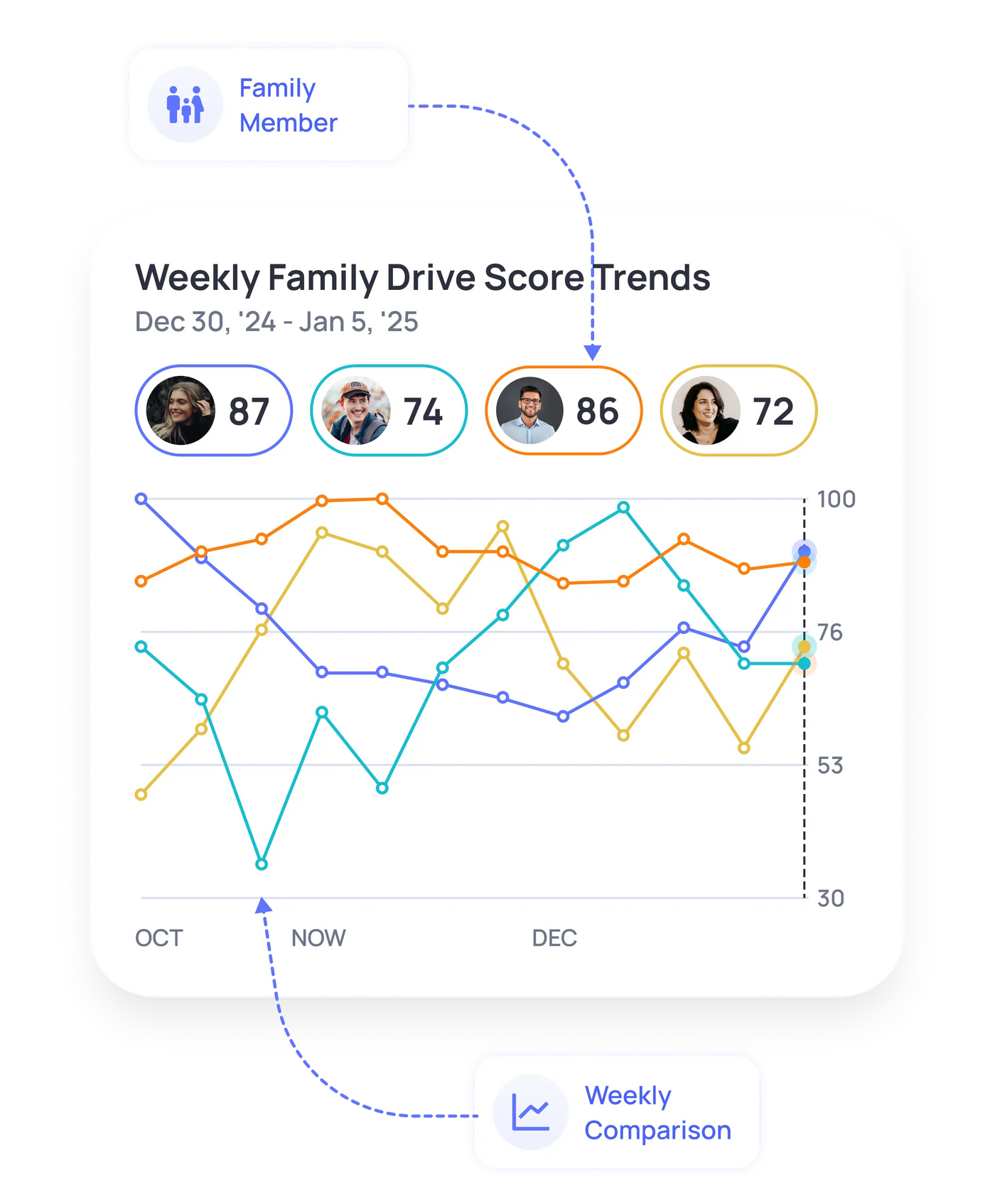
Weekly Family Drive Score Trends make it easier to compare changes over time and have more useful conversations about safe driving habits—without turning the experience into constant check-ins.
Driving Reports & Trip Logs
Go Beyond the Score With Trip Stats and Driving History
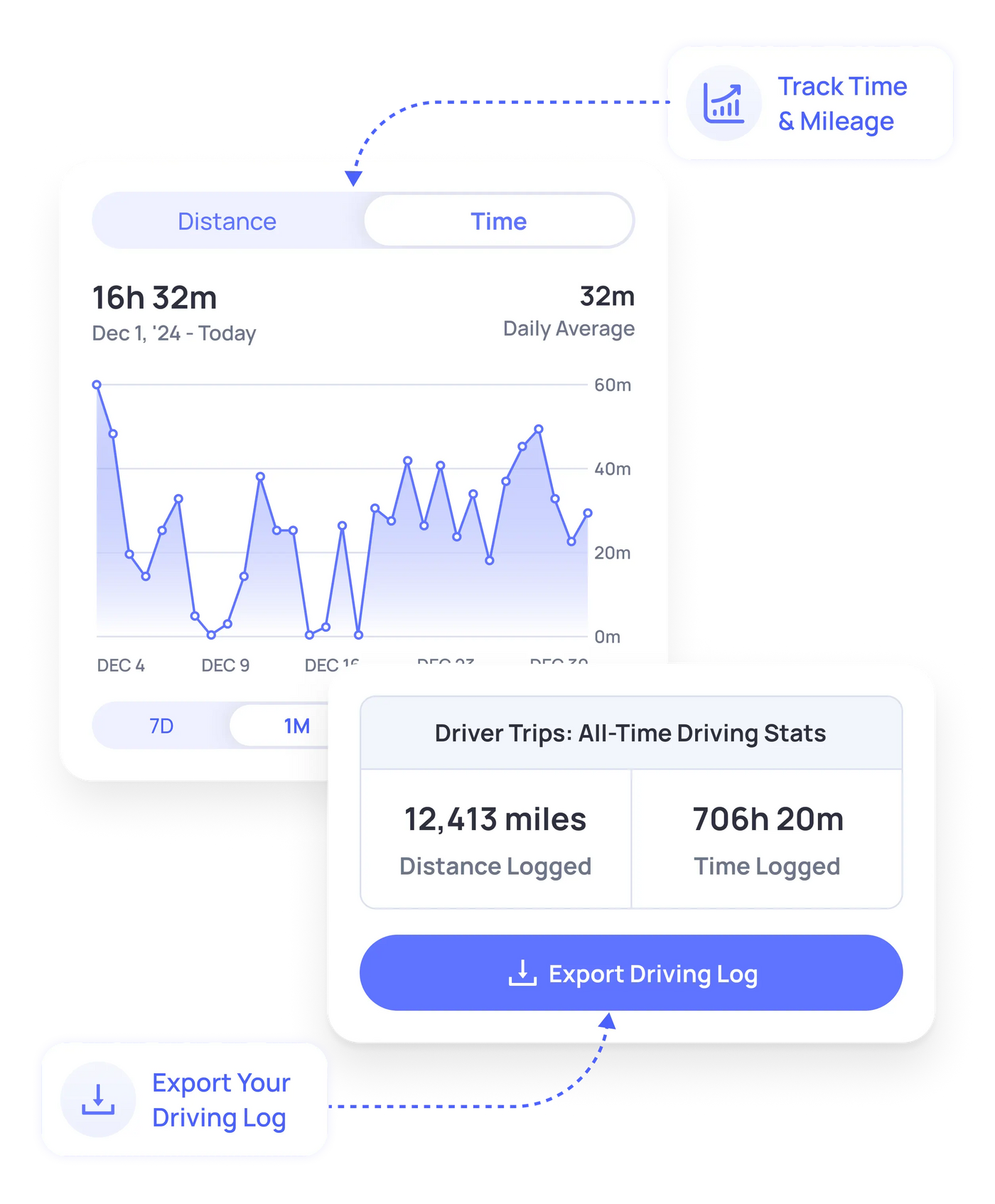
The score tells you how driving is going. Trip Stats and Logs add the longer-term context—distance, time and accumulated driving activity.
Distance
Review distance over your selected time period.
Driving Time
See how much time has been logged behind the wheel.
Trend Views
Switch between time windows to review history.
Driving Log
Keep the underlying trip history accessible when needed.
What Drivers and Families Say About OtoZen
Answers to Common Questions
In OtoZen’s current Weekly Driving Trends view, a Drive Score of 85 or higher falls within the green range. However, a score is most useful when viewed alongside speeding, phone use, top speed and your trend over time. One trip does not tell the whole story—look for consistent improvement across multiple drives.
A driving score app helps make driving behavior easier to understand by combining a score with supporting information such as speeding, phone use, trip history and trends. OtoZen works as a driving safety score app by showing both the score and the driving context behind it.
The OtoZen Insights screen shows a Drive Score alongside speeding, phone use, top speed and a score trend graph.
Drive Streaks show consecutive perfect trips, including a current streak and personal best, so progress is easier to see.
OtoZen includes Weekly Family Drive Score Trends, giving family members a shared view of Drive Score changes over time.
Yes. The Insights area includes Trip Stats and Logs with distance, time and longer-term driving statistics.
Location sharing focuses on where someone is. Driving insights add information about how driving is trending over time, including scores, streaks and driving reports.
No. OtoZen runs on your phone and works in any vehicle — there's no dongle or hardware to install.
OtoZen is designed with privacy controls for family sharing. Your information is not sold to third parties. For details about what data is collected, how it is processed and when service providers may handle it, see our Privacy Policy.


