Place Alerts App for Arrival, Departure and Nearby Notifications
Know when your loved ones arrive, leave, or are approaching a favorite place while driving, without constantly checking their location.

Three Ways to Stay Updated With Place Alerts
A place alerts app uses a virtual boundary around a saved location, also called a geofence, to notify you when someone you are connected with enters or leaves that area. OtoZen also offers nearby alerts while they are driving.
Arriving
Get notified when a loved one enters the saved place zone.
Leaving
Receive an update when they exit the zone around a favorite place.
Nearby
Know when they are approaching a saved place while driving.
Automatic place notifications
Know When Your Family Arrives or Leaves
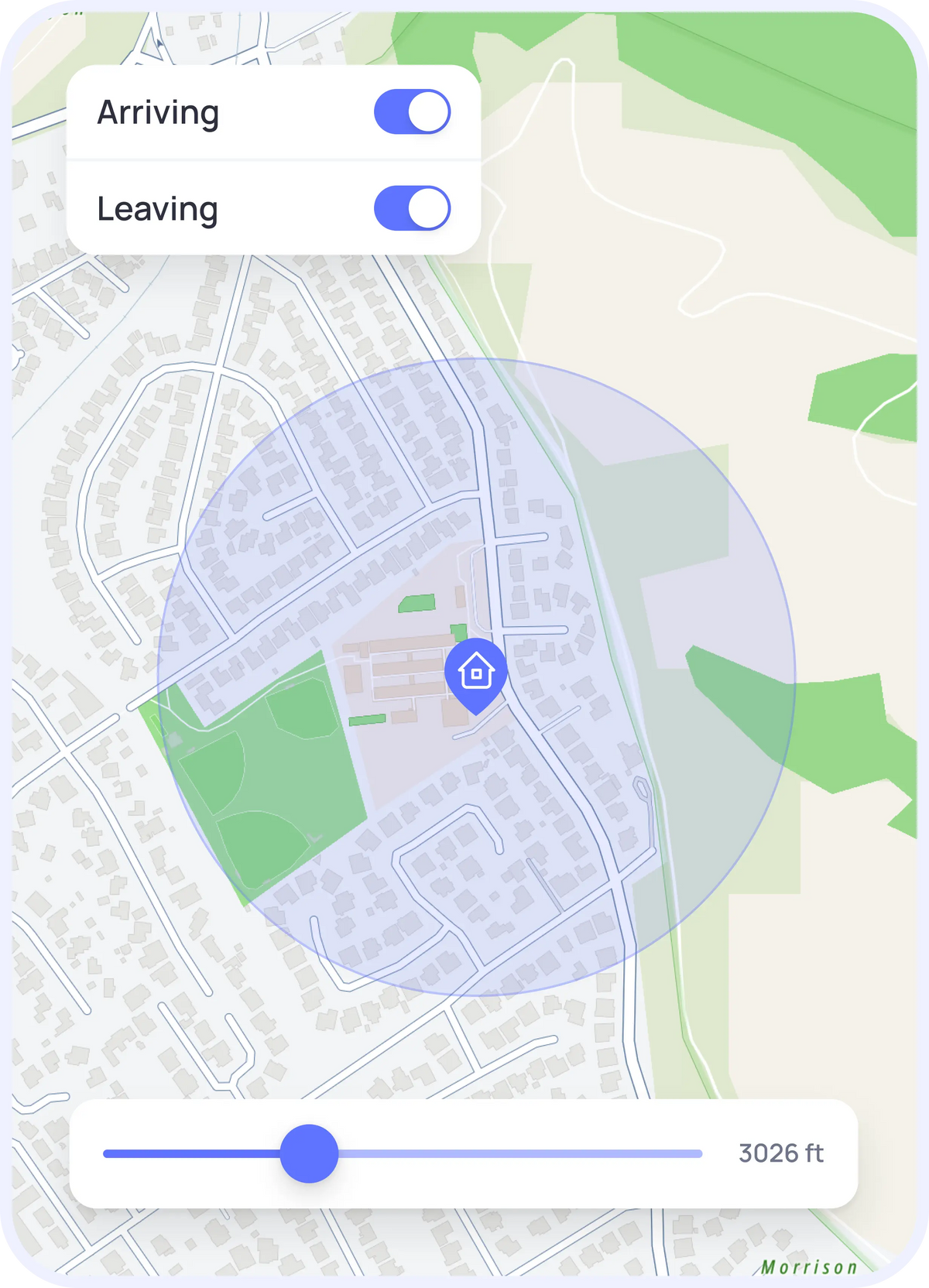
Set up arrival and departure alerts for home, school, work or another place that matters. You do not have to open the map repeatedly to check whether someone has reached their destination.
Choose a saved place and adjust its radius to suit the area. Enable arriving, leaving, or both alerts for the connection you want to receive updates about.
Arrival and departure alerts
Adjustable place radius
Individual notification preferences
Nearby alerts while driving
Know Before They Arrive
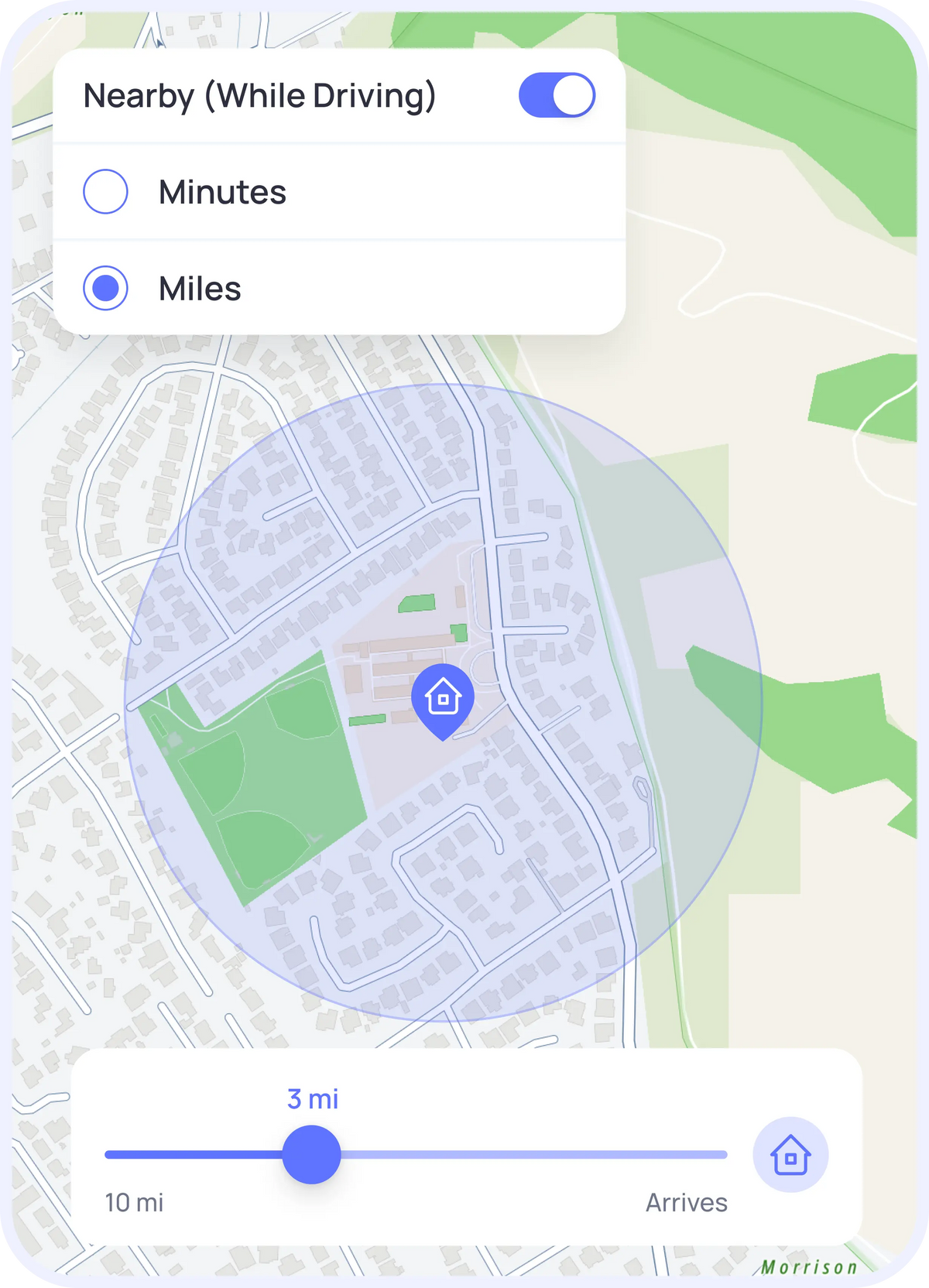
Waiting to pick someone up or planning dinner around a family member's commute? Nearby alerts can give you an advance update when a connection is driving toward a saved place.
Choose a time-based alert in minutes
Or set a distance-based alert in miles
Coordinate pickups without repeated calls or texts

Personalized notifications
Choose the Alerts That Matter to You
Set place notifications individually for your connections so you can stay informed about the people and places relevant to your routine.
For nearby alerts, choose a notification sound that suits you, use your phone's default sound, or select No Sound.
Manage preferences for each connection
Choose the places and alert types you need
Customize nearby alert sounds
Useful Updates for the Places That Matter
Get helpful arrival and departure updates for the places that matter in your family's daily routine.
School & College
Know when your teen arrives at school or leaves for home. Support teen driver safety without repeated check-ins.
Home
Get an arrival update when a loved one returns.
Pickups
Use nearby driving alerts to prepare for a pickup.
Free and paid plans
Start Free With 2 Places
Get place notifications for two places on the free plan. Upgrade to set notifications for unlimited places.
How to Set Up Place Alerts
Connect
Add a trusted connection in OtoZen.
Select a Place
Open Notify me and choose or add a place.
Configure
Choose alert types and adjust the zone or nearby settings.
Save
Save your preferences and check notification permissions.
Frequently Asked Questions About Place Alerts
It sends location-based notifications when a connection enters or leaves a virtual boundary around a saved place.
Yes. With the appropriate location access and settings, configure arriving and leaving alerts for the school zone.
Yes. OtoZen lets you adjust the radius for arrival and departure alerts.
Free users can set place notifications for two places. Paid users can set them for unlimited places.
Yes. Place Alerts are available on both platforms.
Arrival and departure alerts do not require a driving trip. Nearby alerts apply while driving.
Location access, device permissions, connectivity and operating system settings can affect when updates are received. Check these settings if a notification is missing.