


Free automatic student driver log
Free App to Track Driving Hours for Permit
Need an easier way to track supervised driving hours for a learner’s permit? OtoZen automatically logs practice drives, including time, miles, day and night driving, weather, and road type.
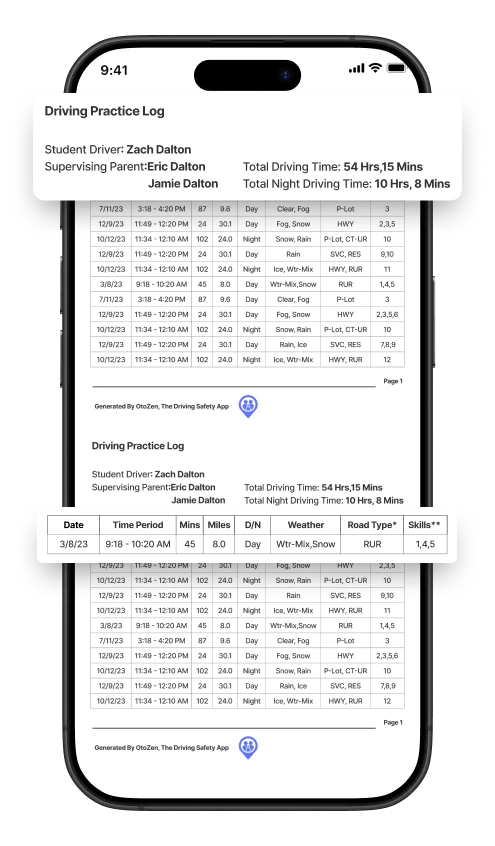
When you are ready, export a DMV-ready PDF driving log to review, print, and prepare for your state licensing requirements.
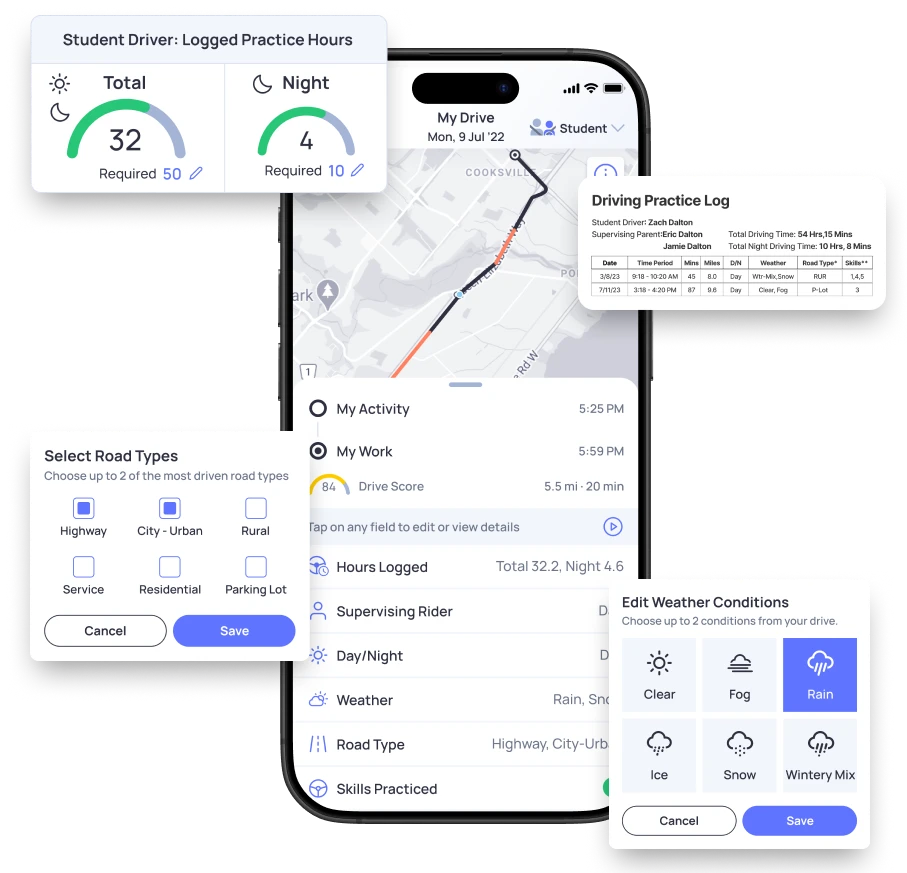
How to Track Driving Hours for a Permit
Most learner’s permit programs require supervised practice before a new driver can take the next licensing step. OtoZen helps families track those drives without relying on memory or paper notes.
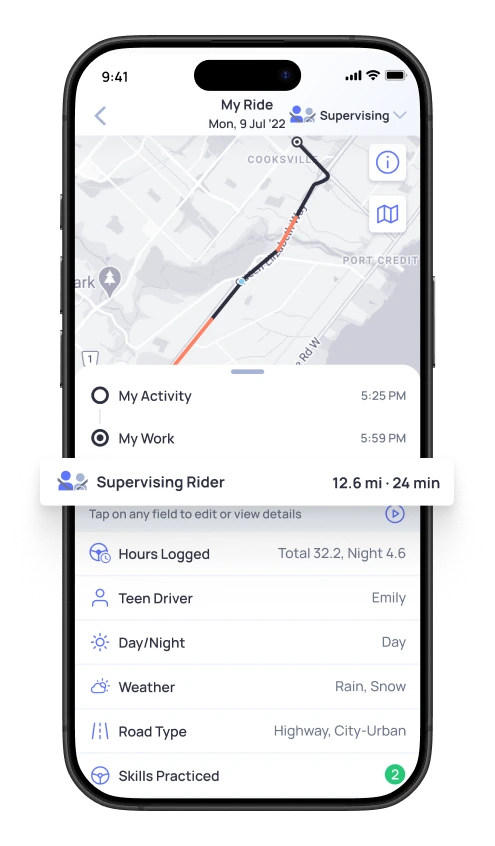
Simplify the journey to safe driving
OtoZen’s automatic trip logging records student driver practice drives in the background. Families can review trips, choose the drives that count, and keep a cleaner driving-hours log.
- No need to manually start and stop every practice trip.
- Review driving time, miles, and night-driving progress.
- Keep supervised driving practice organized in one place.
Automatic Driving Log vs Manual Driving Log
A paper log can work, but it is easy to forget trip details after practice. OtoZen helps families keep permit driving hours organized automatically.
Good, but easy to forget
Manual driving logs depend on the student driver or parent remembering every trip detail after each practice drive.
- Start and end times must be entered manually.
- Miles and night-driving time can be missed.
- Weather, road type, and practice details may be forgotten.
- Paper logs can be hard to organize before a DMV visit.
Easier for busy families
OtoZen automatically records practice drives, so families can review the details later and prepare a cleaner driving-hours log.
- Practice drives are logged automatically in the background.
- Driving time, miles, and day/night details are easier to review.
- Weather, road type, and trip history stay organized.
- Families can export a DMV-ready PDF when needed.
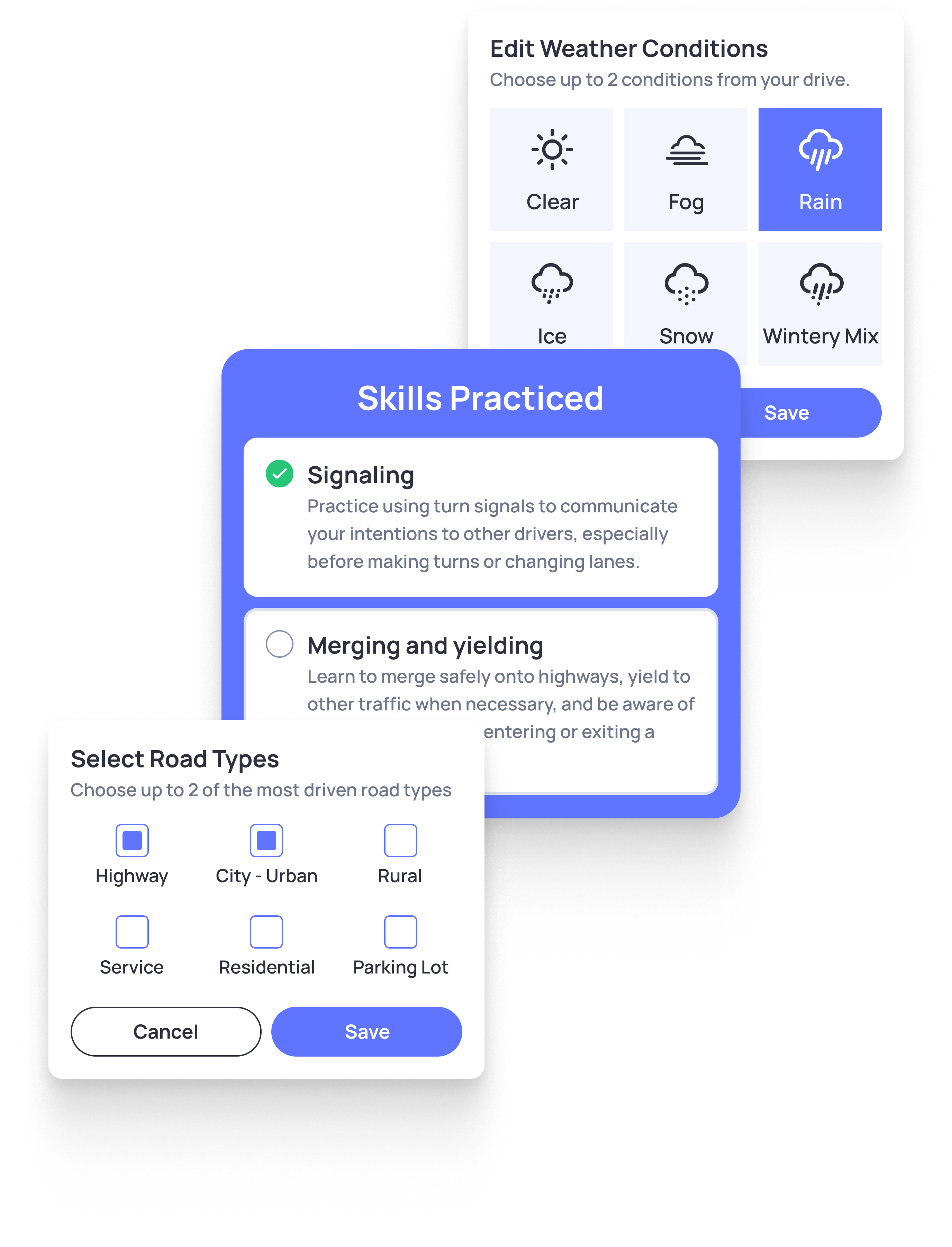
What Counts Toward Permit Driving Hours?
Permit driving-hour rules depend on your state. Many states ask families to track supervised driving time, and some require a separate number of night-driving hours.
- Total supervised driving time
- Day and night driving hours
- Miles driven, date, and trip time
- Road type, weather, and practiced skills
What OtoZen Tracks Automatically
OtoZen helps student drivers and supervising parents keep important permit-driving details in one place.
Driving time
Track supervised practice time so families can review progress toward permit or license requirements.
Day and night hours
Separate day and night driving details, which helps families review required practice hours more easily.
Miles and road type
Keep trip distance and road-type details organized for a clearer student driving log.
Weather conditions
Add helpful context about weather and driving conditions during supervised practice drives.
Practice details
Review trip history and driving details so parents can guide safer practice over time.
PDF export
Export a DMV-ready driving log that families can review, print, and prepare for submission.
How to Export a DMV-Ready Driving Log
When your student driver is ready, OtoZen helps you export a driving log as a PDF. The PDF organizes permit-driving details so families can review, print, and prepare for DMV or licensing-agency submission.
Before submitting, check your state’s DMV rules to confirm what details, signatures, or forms are required.
- Review tracked practice drives before exporting.
- Prepare a cleaner record for DMV or licensing needs.
- Use OtoZen to reduce manual paperwork.
State Requirement Reminder: Verify With Your Local DMV
Driving-hour requirements are not the same in every state. OtoZen helps families organize permit-driving details, but your local DMV or licensing agency is the final source for required hours, forms, signatures, and submission rules.
Before submitting your student driving log, check your state’s official DMV or licensing website to confirm what is required.
More OtoZen Safety Features for New Drivers
Know Your New Driver Is Safe
See live location, ETA, speed, and arrival updates during every drive. OtoZen helps parents feel informed without calling or texting while their child is on the road. Live Location Sharing and Tracking

Help Them Slow Down in Time
OtoZen gives real-time speeding alerts when a driver goes over the speed limit. Gentle reminders help new drivers build safer habits on every trip.

Reduce Phone Use While Driving
OtoZen helps remind new drivers to keep their attention on the road. When phone handling is detected during a drive, the app sends a gentle warning. Avoid texting and driving.

Understand Their Driving Habits
Review trip summaries, drive score, speeding, phone use, and trip history. OtoZen helps parents guide safer driving conversations with more clarity.

What Users Are Saying
Apple and Google App Store Reviews
Get Started in Minutes

Download the OtoZen App

Invite family members
They download the App
Your family is protected











Answers To Your OtoZen Questions
OtoZen is a strong option for families because it automatically tracks permit driving hours, day and night driving, miles, weather, road type, and trip history. It also helps families export a DMV-ready PDF driving log when they need it.
You can track driving hours manually with a paper log, spreadsheet, or app. OtoZen makes it easier by automatically logging practice drives and organizing important details like time, miles, day or night driving, weather, and road type.
Yes. OtoZen helps families export a DMV-ready PDF driving log. You can review your tracked practice drives and prepare a cleaner record for your permit or license requirement.
Yes. OtoZen tracks day and night driving details automatically, which is helpful because many states have separate night-driving requirements for learner’s permit holders.
Yes. DMV and licensing rules vary by state. Always check your local DMV or state licensing agency to confirm the required number of supervised hours, night hours, forms, and signatures before submitting your driving log.
We recommend both install OtoZen for the easiest setup and review experience. Either party can help review progress and prepare the driving-hours log.

